
1. Download and Install
- Download the latest version of wGoldBank from BuiltByBit.
- Place the JAR file into your server’s
/pluginsfolder. - Start the server - the plugin will generate only a
config.yml.
🛑 At this point, the plugin will not be fully functional until a valid license key is entered.
2. Obtain Your License Key
To get your license key:- Join our Discord server.
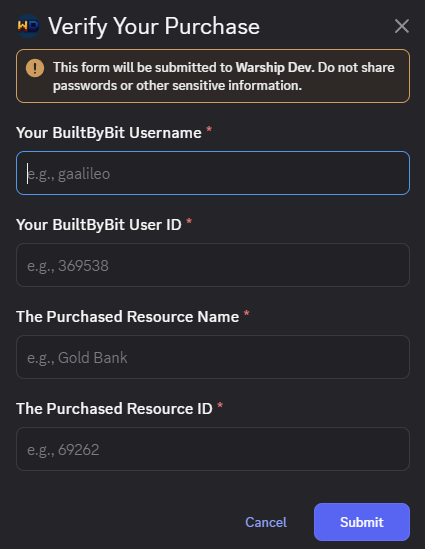
- Go to the 🔑︲verification channel and follow the instructions to verify your purchase.
You’ll be asked to provide:
- Your BuiltByBit username: e.g., gaalileo
- Your BuiltByBit user ID: e.g.
369538https://builtbybit.com/members/gaalileo.369538 <<- The Resource Name: e.g.,
wGoldBank- The Resource ID:
69262https://builtbybit.com/resources/gold-bank.69262 <<<
- As an ephemeral messages in the verification channel
-
AND as a DM to your Discord account. (If the option “Direct Messages” is turned on”)
💡 You can request your license key at any time in the 🔑︲verification channel.
3. Activate the Plugin
- Stop your server if it’s running.
-
Open the generated config file at:
/plugins/wGoldBank/config.yml -
Paste your license key:
license-key: 'wgb-key' -
Save the file and restart the server.
- The plugin will fully initialize.
- All features and additional configuration files will be loaded.

Need Help?
If you run into issues:- Make sure the key is correctly pasted (no extra spaces or quotes).
- Contact our support team.